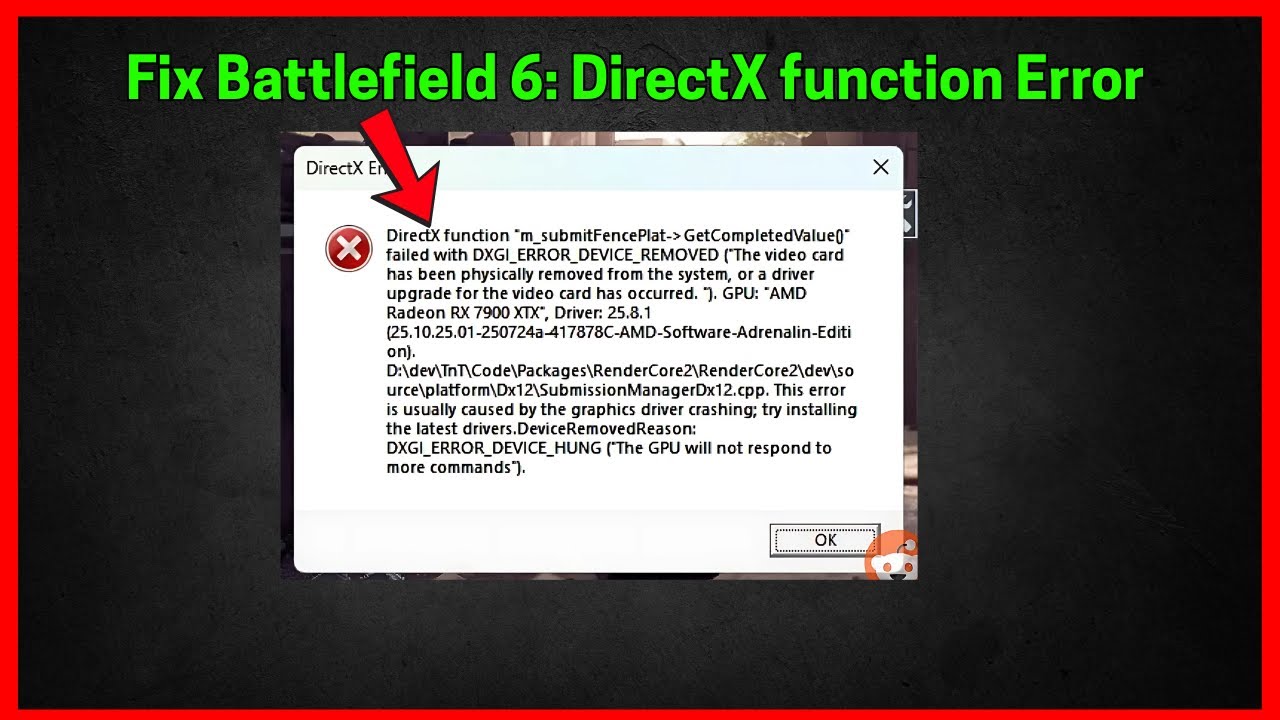
If you get this DirectX error when launching Battlefield 6 with a message “DirectX function “GetDeviceRemovedReason” failed with DXGI ERROR DEVICE HUNG”
Follow the steps below to resolve this issue
Set Mesh Quality in your Graphics settings to low
GRAPHICS → GRAPHICS Settings → Mesh Quality to LOW and restart the game.
If it fails also set Graphics quality to low
lower your GPU clock speed in AMD Software by 50mhz
To lower your GPU Clock speed
Open AMD Software: Adrenalin Edition Go to the “Performance” tab and Enable “Manual” tuning and Lower the Max Frequency (Mhz) — reduce it by 50 MHz.
For example: If it says 3000 MHz, change it to 2950 MHz
https://www.amd.com/en/products/software/adrenalin.html
Delete the documents folder of BF 2042.
If you have MSI afterburner and or RivaTuner running in the background, kill those before you launch the game
Update your Graphics drivers

Comments